Phishing, recovery and stronger sign-in
Switching to an Authenticator App: What to Set Up First
Before you drop email verification codes for an authenticator app, set up a backup method. Both Google and Microsoft document real lockout risk if you switch devices without one.
Moving a login from emailed verification codes to an authenticator app is a real security upgrade, but both Google and Microsoft's own documentation describe genuine ways to get locked out if you switch devices without preparing first. Before you disable email codes anywhere, turn on account sync for your authenticator app and register at least one backup method — do the setup work before the switch, not after something breaks.
The underlying reason to switch is sound. Emailed one-time codes and app-generated codes are structurally different: NIST's digital identity guidelines treat locally generated authenticators and codes delivered over a separate channel, like email, as different authenticator types with different properties, and an app-generated code never travels over the open internet the way an emailed one does.
What should you set up before you switch? (checklist)
Turn on sync or cloud backup in the authenticator app and register a second sign-in method before you remove email or SMS codes.
| Step | Why it matters | Source |
|---|---|---|
| Turn on account sync in your authenticator app before removing email codes | Without sync, losing the phone means visiting every site individually to remove and re-add codes | Google Authenticator help |
| Register a second MFA method (backup codes, a second device, or a second app) before switching | Both major providers document real, documented lockout paths for authenticator-only setups | Google and Microsoft authenticator help |
| Keep email codes enabled on at least one critical account until the authenticator is confirmed working | Verifies the app generates a valid code before you remove the fallback | General best practice |
| Know your provider's official device-loss recovery path before you need it | "Try another way" or an equivalent option only helps if a backup method is already registered | Microsoft Authenticator FAQ |
| Update your registered device list after switching phones | An old device left registered can keep receiving prompts meant for you | Microsoft Authenticator FAQ |
- My authenticator app's codes are synced to an account, not stranded on one phone.
- I have a second working MFA method registered, not just the app.
- I tested the authenticator-generated code successfully before removing the email-code fallback.
- I know which "use another method" option my provider offers if the app becomes unavailable.
- I removed the old device from my account's registered-device list after switching phones.
What breaks in Google Authenticator if you don't sync?
Google's own help documentation for Google Authenticator states plainly that if your codes are not synced to your Google Account, losing your device means visiting every single site where Authenticator was set up to remove the old codes and relink a new device — one at a time, per service. Google's guidance frames syncing to your Google Account as the protection against exactly this: it helps protect you from being locked out of your account when you change devices. If you switch to Authenticator specifically, confirm sync is on before you rely on it. If its codes are later rejected, check the phone's clock first: the app has had no time-correction setting since version 7.0, and the authenticator clock check measures the clock for you.
Why isn't deleting Microsoft Authenticator enough?
Microsoft's own FAQ for Microsoft Authenticator is direct that removing the app from your old device does not fully disconnect it: you must both delete the app from the old device and separately tell Microsoft, or your organization, to forget and unregister that device. Skip that second step and an old phone can remain a live credential. Microsoft's FAQ also warns that losing access without cleanup can cost you access to email in Outlook, files in OneDrive, and phone sign-in — a much bigger blast radius than one login you meant to protect.
If a work or school Microsoft account has started asking you to register a passkey, that is a separate, scheduled Entra ID change for accounts that use SMS or voice MFA; see Microsoft Entra defaults to passkeys on Sept 1, 2026.
Do you really need backup codes?
Every major authenticator setup flow offers backup or recovery codes at the moment you enable the app, and it is tempting to skip saving them. Don't. They are the one recovery path that does not depend on having any device at all, which is precisely the scenario an authenticator-only setup is most exposed to. Store them somewhere durable and separate from the phone the app runs on — not a screenshot on the same device.
How is this different from an email-code problem?
If you are troubleshooting a code that simply has not arrived or seems stale, that is a delivery or freshness problem, not a migration decision — see OTP code not working: use this stale-code check before you retry. If your password manager already tried and failed to autofill an emailed code, that gap and this migration are closely related — read password manager fills everything except the email code: close the OTP gap for the full structural explanation of why. For the wider security tradeoffs between OTP-by-email and other passwordless methods, see passwordless login security checklist for OTP and magic-link email.
Where does MagicLess fit?
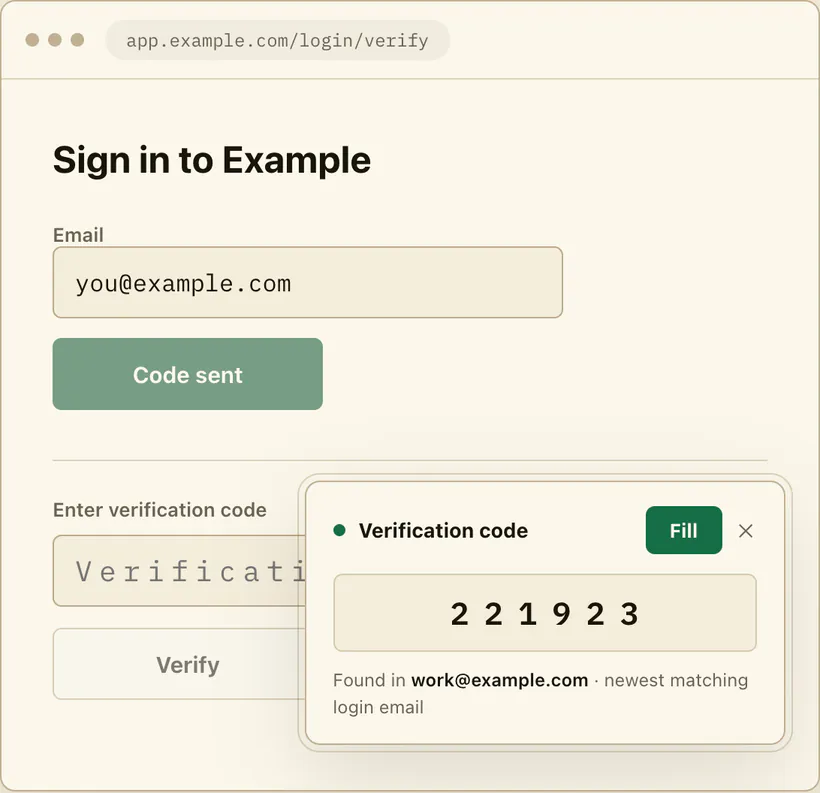
MagicLess is built for the email-code side of login, not the authenticator-app side, so if you move an account to TOTP entirely, MagicLess simply has nothing left to fetch for that one — and that's the right outcome, not a gap to fix. Where it still helps is the accounts you deliberately leave on email codes, and during the migration itself, when you are testing a new authenticator app but haven't yet turned off the email fallback on every account. It reads the newest email code from a connected Gmail inbox and puts it on the page, for exactly as long as an account still uses that method.
FAQ
What happens if I lose my phone after switching to an authenticator app?
If your codes are synced to your account (Google) or your device list and backup methods are current (Microsoft), you can recover through the provider's official flow. If they are not, both providers document a much harder, per-site recovery process. If the phone is already gone, follow the recovery order for a lost authenticator phone.
Do I need to keep email codes on as a backup?
Keeping email codes on one critical account until you've confirmed the authenticator works is a reasonable transition step. Long-term, a registered backup method through the same provider is generally more reliable than reverting to email.
Is deleting the authenticator app enough to disconnect an old phone?
No. Microsoft's own FAQ states you must also unregister the device with Microsoft or your organization; deleting the app alone can leave the device live.
Are backup codes actually necessary if I have a second device?
Yes — a second device can also be lost, broken, or unavailable at the same time as your primary one. Backup codes are the one method that doesn't depend on having any device.
Is an authenticator app actually more secure than an emailed code?
NIST's guidelines treat app-generated (locally computed) codes and channel-delivered codes like email as different authenticator types with different properties; an app-generated code isn't exposed to the same delivery-channel risks an emailed code is.
Claim ledger
| Claim | Source | Last checked | Confidence |
|---|---|---|---|
| Without account sync, losing a device means individually removing and relinking Google Authenticator codes at every site. | Google Account Help: Get verification codes with Google Authenticator | 2026-09-16 | High |
| Syncing Google Authenticator codes to a Google Account helps protect against lockout when changing devices. | Google Account Help: Get verification codes with Google Authenticator | 2026-09-16 | High |
| Deleting Microsoft Authenticator from a device is not sufficient; the device must also be unregistered with Microsoft or the organization. | Microsoft Support: Microsoft Authenticator FAQs | 2026-09-16 | High |
| NIST's digital identity guidelines treat locally generated authenticators and channel-delivered codes (such as email) as distinct authenticator types with different properties. | NIST SP 800-63B | 2026-09-16 | Medium |
Sources
- Google Account Help: Get verification codes with Google Authenticator
- Microsoft Support: Microsoft Authenticator FAQs
- NIST: Special Publication 800-63B