Code Sent to a Distribution List? Check This First
A verification code sent to a company distribution list is not a shared inbox: only members receive it, and owners often do not unless they are also members. Here is how to find out who actually got it.
A verification code sent to a distribution list address does not sit somewhere everyone with the address can browse — it lands only in the inboxes of that list's members. Check whether you are a member (not just an owner or admin) of the list, because Microsoft's own documentation treats members and owners as separate roles, and only members receive the mail sent to the group.
This trips people up because a distribution list looks, from the outside, like a mailbox you can just log into. It is not. It is a routing rule that fans a message out to a membership roster.
Who receives the code? (routing table)
The members of the list, in their own inboxes. The owner of an Exchange distribution list does not get the message unless the owner is also a member.
| Recipient type | Who receives a message sent to it | Where to check for the code |
|---|---|---|
| Exchange/Microsoft 365 distribution list | Every member listed under the group's Members tab, per Microsoft's admin documentation | Each member's own personal inbox — not a shared login |
| Distribution list owner (not also a member) | Not automatically; owners manage settings, membership documented separately from message delivery | Add the owner as a member if they need the code, or check with a current member |
| Google Group used as a collaborative inbox | Members can receive their own copy in Gmail; the group interface also holds the thread | Either a member's Gmail inbox or groups.google.com, depending on delivery settings |
| Shared mailbox (Microsoft) or shared Gmail account | One inbox multiple people log into directly | That single shared inbox — see the safer shared-inbox workflow below |
| Security group (mail-enabled) | Functions like a distribution list for mail plus grants resource access | Members' individual inboxes |
- I confirmed whether I am listed as a member of the distribution list, not just an owner or admin.
- I asked a member to check their own inbox rather than looking for a shared login that does not exist.
- I checked whether this is actually a distribution list or a shared mailbox, since they behave differently.
- I am not planning to paste the code into a group thread or chat once someone finds it.
- I flagged, for later, that this account should probably not be registered to a distribution list at all.
Why is a distribution list not a mailbox?
Microsoft's Exchange Online documentation describes a distribution list as a group used "only to distribute messages," with separate concepts for who owns the list and who is a member of it — membership is managed under its own tab, and delivery settings control who is even allowed to send to the group. Nothing in that structure creates a place to log in and read what was sent; the message only exists inside each member's normal mailbox, copied there at delivery time. If you are the person who registered an account under a distribution-list address, the practical fix is being added as a member so the code reaches an inbox you can actually open — or better, moving the account to a real personal or shared mailbox.
How do Google Groups collaborative inboxes change it?
If the address is a Google Group rather than a Microsoft distribution list, Google's own help for the collaborative inbox feature describes members being able to take, assign, and mark conversations complete — but those actions work through the Google Groups web interface at groups.google.com, separate from whatever copy of the message lands in an individual member's Gmail. A verification code sent to a Google Group can be sitting in the Groups interface, in a member's personal Gmail, or both, depending on how the group's delivery settings are configured. Check both places before assuming the code never arrived.
How is this different from a shared team inbox?
A shared Gmail or Microsoft mailbox that a team deliberately logs into together is a different setup entirely, with its own workflow questions around who requests a code and how it gets used safely — see shared Gmail inbox verification codes: a safer team workflow. A distribution list was very likely never meant to be a login address at all; it is a mail-forwarding convenience that someone repurposed. If several people now need this account's codes regularly, moving it to a real shared mailbox, rather than continuing on a distribution list, is the fix that prevents this from recurring.
How do you fix routing without adding risk?
Once someone finds the code, resist the urge to paste it into a group chat or thread so everyone can see it landed. NIST's digital identity guidance treats one-time authentication secrets as sensitive values that should not be needlessly disclosed. If the team genuinely needs shared access to this login going forward, read the safe way to share a login code with a team before making a habit of broadcasting codes to solve today's problem.
Where does MagicLess fit?
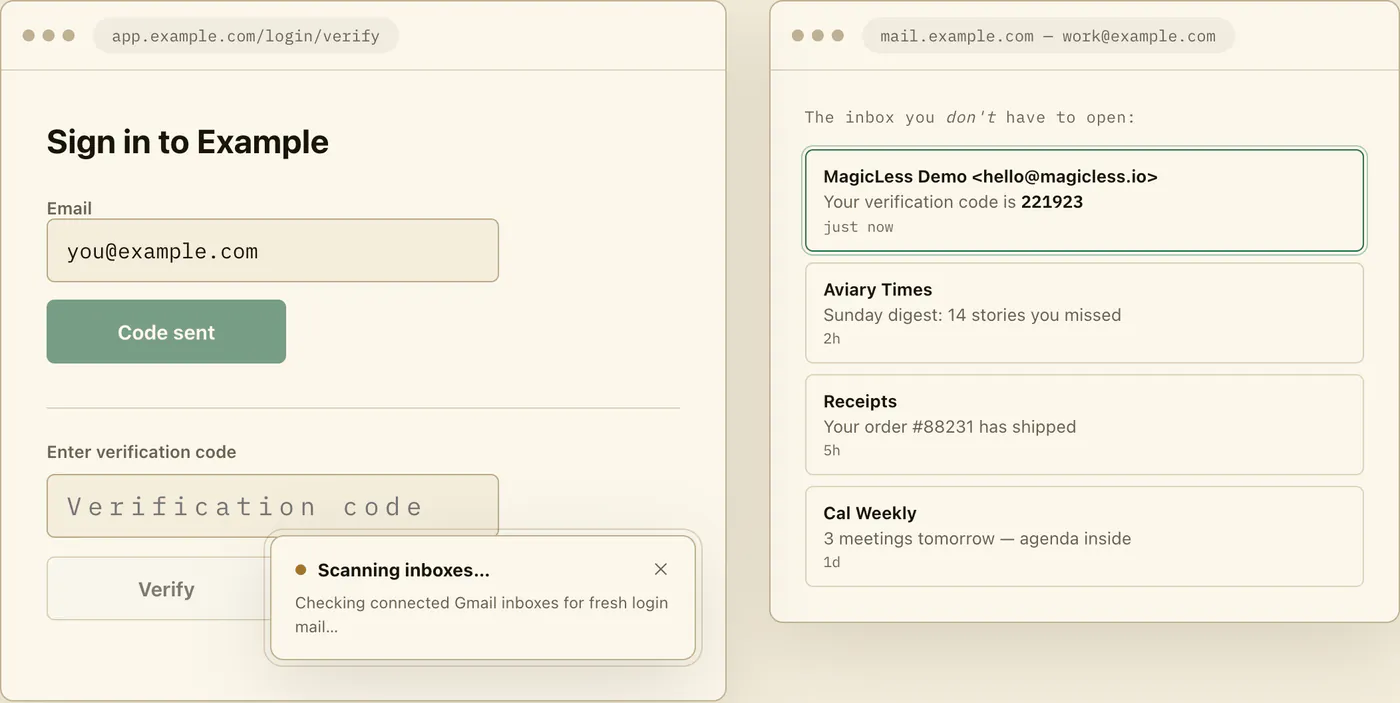
MagicLess does not touch distribution lists at all — it only reads codes that land in a Gmail inbox you personally connect, which is exactly why routing the account to a real inbox instead of a list matters. It cannot open a Microsoft distribution list, browse a Google Group's archive, or grant anyone access they do not already have. Once an account's codes land in a Gmail inbox someone actually owns, MagicLess can surface the newest one on the login page for that person — but the list-versus-mailbox fix has to happen first.
FAQ
Why didn't I get the verification code even though I own the distribution list?
Owning a distribution list does not make you a recipient of its mail. Only members receive messages sent to the group, per Microsoft's documentation, so add yourself as a member if you need the mail.
Is a Google Group the same as a Microsoft distribution list for this purpose?
Similar in that both route mail to members rather than storing it in one place, but Google Groups add a collaborative inbox interface at groups.google.com that a Microsoft distribution list does not have.
Should we just add everyone on the team as a member so anyone can get the code?
That solves delivery but creates a new problem: several people now hold the same account's login codes. A shared mailbox with an agreed workflow is usually safer than widening a distribution list's membership for this purpose.
Can I convert a distribution list into something that works better for login codes?
Microsoft's documentation notes a distribution list can be converted to a shared mailbox, which behaves like a single inbox people log into rather than a fan-out list — that is usually the better fit for an account's login codes.
Is it safe to post the code in the group's chat once someone finds it?
No. Treat it like any other login secret: get it to the one person completing that specific sign-in, and do not leave it visible in a shared thread longer than necessary.
Claim ledger
| Claim | Source | Last checked | Confidence |
|---|---|---|---|
| Exchange Online distribution lists route mail only to their members, with ownership and membership managed as separate roles. | Microsoft Learn: Create and manage distribution groups in Exchange Online | 2026-09-16 | High |
| A distribution list can be converted to a shared mailbox for cases better served by one shared inbox. | Microsoft Learn: Create and manage distribution groups in Exchange Online | 2026-09-16 | Medium |
| Google Groups collaborative inbox lets members take, assign, and mark conversations complete through the Groups web interface. | Google Workspace Learning Center: Make a group a Collaborative Inbox | 2026-09-16 | High |
| One-time authentication secrets should not be unnecessarily disclosed or shared. | NIST SP 800-63B | 2026-09-16 | High |
Sources
- Microsoft Learn: Create and manage distribution groups in Exchange Online
- Google Workspace Learning Center: Make a group a Collaborative Inbox
- NIST: Special Publication 800-63B