MagicLess vs. InboxKey: Server Gmail or Local IMAP Bridge?
A fair, side-by-side comparison of MagicLess and InboxKey: which inboxes each one reads, where the mail is processed, and who should pick which, checked against both listings on September 16, 2026.
Choosing between InboxKey and MagicLess usually comes down to one question: does the tool you're about to install read your mail on your own machine, or somewhere else, and does it cover the inbox you actually use? The short answer: InboxKey processes mail locally through a desktop app called InboxBridge and reads Gmail plus several IMAP providers (Outlook, Yahoo, Fastmail, iCloud, Proton via Bridge); MagicLess processes Gmail through a server-side integration with no desktop app, and reads Gmail only. Neither is a strictly better version of the other — they trade setup effort against inbox coverage in opposite directions.
This comparison checked both projects' own listings on September 16, 2026: InboxKey's Chrome Web Store page and linked GitHub project, and MagicLess's Chrome Web Store page.
How do MagicLess and InboxKey actually differ?
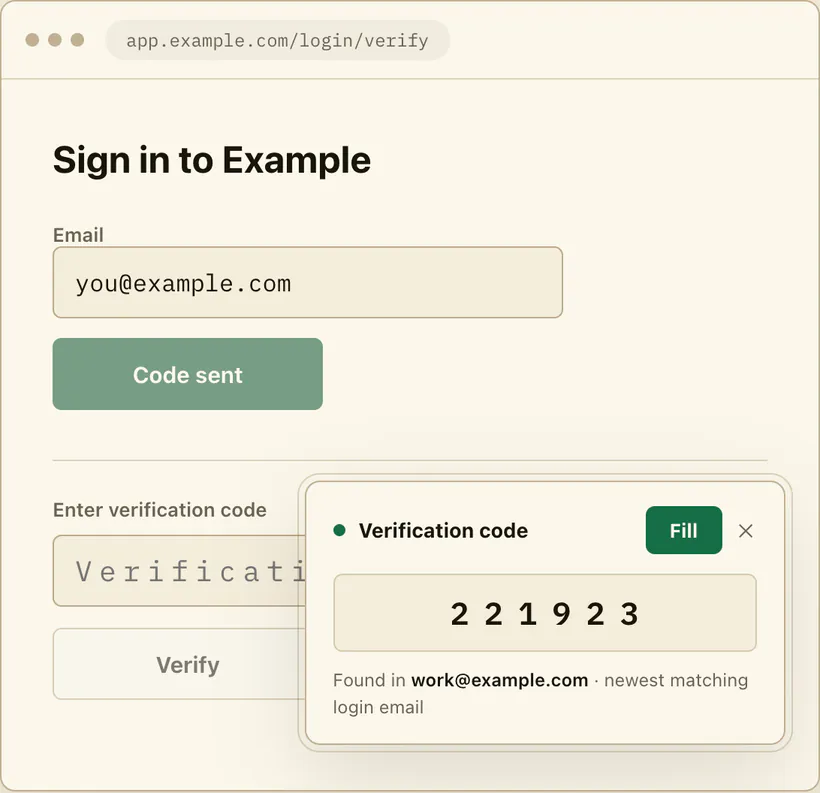
The core difference is architectural, not cosmetic. InboxKey is built around a small local helper app that connects to your mailboxes over IMAP and has no server of its own; MagicLess is built around a Gmail-only browser extension whose backend, running through a Composio integration on Vercel, does the inbox lookup and hands the extension a code or link to show you. Everything else — the fill button, the on-page card, the requirement that you click before anything gets entered — follows from that one choice.
Which inboxes and message types does each one read?
This side-by-side table is the useful artifact for this page.
| MagicLess | InboxKey – Autofill Verification Codes | |
|---|---|---|
| Inboxes | Gmail only, up to 5 connected accounts | Gmail plus most IMAP mailboxes: Outlook, Yahoo Mail, Fastmail, iCloud Mail, Proton Mail through Bridge, self-hosted mail |
| Message types | Email codes and magic sign-in links | Email codes and magic links (opened only after you confirm); also Android SMS codes via Google Messages pairing (not iMessage) |
| Split-digit code boxes | Not stated as a specific feature | Explicitly supported, one digit per input box |
| Processing location | Server-side, via a Composio-backed API hosted on Vercel | Local, via the InboxBridge desktop helper; IMAP credentials sit in the OS keychain |
| Desktop app required | No — Chrome extension only | Yes — InboxBridge must be installed and running alongside the browser |
| Fill behavior | Fill code / Open link, always on your click; never auto-submits | Configurable: fill and submit, fill only, copy the code, notification only, or manual popup; known banking sites can be auto-disabled |
| TOTP (authenticator-app codes) | Not supported | Not supported |
| Source availability | Not open source | Source-available on GitHub under the PolyForm Noncommercial 1.0.0 license |
| Price | Free | Free; optional "Buy me a coffee" link |
| Browser support | Chrome (MV3, Chrome 116+) | Chrome (Chrome Web Store) |
| Users as of Sep 16, 2026 | No count shown on the listing | 125 users, 5.0 rating from 2 ratings |
| Last updated | September 7, 2026 (v0.1.4) | May 9, 2026 (v1.1.0) |
Two rows are worth reading twice. First, InboxKey's SMS support is specifically through Google Messages pairing on Android — it does not read iMessage, so an iPhone user texting themselves a code is outside its SMS coverage even though its email coverage is broader than MagicLess's. Second, InboxKey's fill-and-submit mode is opt-in and can auto-submit a login form for you if you configure it that way; MagicLess has no equivalent mode and always waits for a click, by design rather than by limitation.
Does it run locally or through a server?
InboxKey's own description is direct about this: "There are no InboxKey servers, no cloud relay, no analytics, no telemetry, and no tracking." Its GitHub README adds that access is read-only IMAP and that credentials are stored in the OS keychain by the InboxBridge helper, not in the browser. That is the strongest form of the local-processing claim among the tools in this category.
MagicLess does not make that claim, and its own listing does not try to. Its privacy documentation states it does not collect passwords, cookies, session tokens, or raw page HTML, and does not store full email bodies long-term; but the lookup itself happens through a backend service, not entirely inside your browser. If "nothing leaves my device" is the deciding factor for you, that is a real point in InboxKey's favor, and this comparison is not going to argue otherwise.
Who should pick InboxKey, and who should pick MagicLess?
Pick InboxKey if any of the following is true: you read mail outside Gmail (Outlook, Yahoo, iCloud, Fastmail, or another IMAP account), you want processing that never touches a third-party server, you're comfortable installing and keeping a small desktop app (InboxBridge) running, or you want configurable fill behavior, including a fill-and-submit mode.
Pick MagicLess if all of the following is true instead: every account you're filling codes for uses Gmail, you'd rather not install a separate desktop app and just want a browser extension, and you specifically want a tool that never auto-submits a form under any setting, because that option doesn't exist to turn on by accident.
Neither tool handles authenticator-app (TOTP) codes, and neither is a password manager replacement — both are narrow tools for one step of a login. If a site you use offers TOTP as an alternative to emailed codes, switching to an authenticator app is worth doing regardless of which of these two you pick, since it removes the email step for that account entirely.
Is one more secure than the other?
Security here isn't a single score; it's a set of different trust boundaries. InboxKey asks you to trust a local desktop app with your IMAP credentials, stored in your OS keychain, and to trust that no server-side collection ever happens, which its source-available code lets you verify yourself. MagicLess asks you to trust a Composio-managed OAuth grant and a backend service that, per its privacy policy, does not store full email bodies or session tokens long-term, but is not open source, so that claim rests on the policy text rather than inspectable code. Neither model is inherently unsafe; they simply put the trust in different places, and which one you're more comfortable with is a personal call this page won't make for you. Whichever tool you pick, running it through the passwordless login security checklist before you connect an account is worth the five minutes.
Where does MagicLess fit next to InboxKey?
Between these two, InboxKey is the better fit if you already run Outlook, Yahoo, or another IMAP mailbox outside Gmail; MagicLess is the better fit if you only use Gmail and want a browser extension with no desktop app to install. We have not tested the two extensions installed together, so if you try that, turn one off on sites where both offer a code, to avoid two fill prompts on the same field.
If you're evaluating either extension against the general questions any OTP autofill tool should answer, the pre-install checklist covers permissions, wake conditions, and fill-versus-submit behavior in more depth than this page does. For the wider field beyond just these two, see Gmail OTP autofill extensions compared.
FAQ
Is InboxKey a good alternative to MagicLess?
Yes, specifically if you need IMAP or SMS coverage MagicLess doesn't have, or want processing that never touches a third-party server. It requires installing and running a separate desktop app, which MagicLess does not.
Can InboxKey autofill verification codes from Outlook in Chrome?
Yes. InboxKey's listing states IMAP support including Outlook, alongside Gmail, through its local InboxBridge app. MagicLess does not read Outlook at all; it is Gmail-only.
Does either tool read SMS text messages?
InboxKey supports SMS codes through Google Messages pairing on Android, not iMessage. MagicLess does not read SMS at all and suppresses itself on SMS-code pages.
Which one is easier to set up?
MagicLess needs only the Chrome extension and a Gmail OAuth grant. InboxKey also needs the InboxBridge desktop helper, and its README says even Gmail connects over IMAP with an App Password, which requires 2-Step Verification on that Google account.
Can I use both at the same time?
Neither listing addresses it, and we have not tested the pair. If you install both, disable one on sites where both would offer the same code.
Claim ledger
| Claim | Source | Last checked | Confidence |
|---|---|---|---|
| InboxKey processes mail locally via InboxBridge, with no InboxKey servers, cloud relay, analytics, or tracking, and stores read-only IMAP credentials in the OS keychain; Gmail connects with an App Password. | InboxKey — GitHub | 2026-09-16 | High |
| InboxKey supports Gmail and most IMAP mailboxes (Outlook, Yahoo Mail, Fastmail, iCloud Mail, Proton Mail through Bridge), Android SMS via Google Messages pairing (not iMessage), and fill modes including fill and submit. | InboxKey — Chrome Web Store | 2026-09-16 | High |
| InboxKey's source is available on GitHub under the PolyForm Noncommercial 1.0.0 license, and it is free with optional donations. | InboxKey — GitHub | 2026-09-16 | High |
| MagicLess reads connected Gmail only, is at version 0.1.4 (updated September 7, 2026), and its Chrome Web Store listing shows no user count as of this check. | MagicLess — Chrome Web Store | 2026-09-16 | High |