Mac Apps for Verification Codes: SMS, Email, Raycast
Seven Mac and Chrome tools that read verification codes, compared on whether they cover SMS, email, or both, where they read mail from, price, and open-source status, checked September 16, 2026.
Mac apps that read verification codes are a smaller, different category than Chrome extensions: menu-bar utilities and launcher extensions that read Messages or Mail.app directly, instead of a browser reaching into a webmail tab. This page checked seven of them, two Raycast extensions, MessAuto, an Alfred workflow, 2FHey, Faktor, and MagicLess, against their own listings or repositories on September 16, 2026, and the split that matters most is simple: four of the seven read text messages, five read email, and two (Raycast's 2FA Code Finder and MessAuto) read both.
Which Mac tools read SMS, which read email, and which read both?
This table of Mac and menu-bar verification-code tools is the useful artifact for this page.
| Tool | SMS / email / links | Source of mail | How the code reaches the page | Price | Open source |
|---|---|---|---|---|---|
| Raycast "2FA Code Finder" | SMS (iMessage) + email codes + magic links (opens links directly) | iMessage, Apple Mail, or Gmail, chosen under Enabled Sources | Copy the code inside Raycast; sign-in links found in email open directly | Free | Yes, source in the Raycast extensions repository |
| Raycast "OTP Inbox" | Email codes only | Gmail only, using a Google Client ID you supply yourself | Copy to clipboard, or paste directly into the active application | Free; you create your own Google Cloud OAuth client | Yes, source in the Raycast extensions repository |
| MessAuto | SMS (iMessage) + email codes | Messages app + Mail.app | Auto-paste by simulated typing (optionally without using the clipboard), optional auto-Return, or a floating window | Free | Yes, MIT license, about 1.6k GitHub stars |
| Alfred "2FA Email Codes" | Email codes only | Mail.app only | Copy code, then paste into the frontmost app | Free workflow; Alfred workflows need the paid Powerpack | Yes, source published on GitHub |
| 2FHey | SMS (iMessage + Google Messages); no email | iMessage, Google Messages | Moves the code to the clipboard automatically | Not stated on the fetched page (sold via Gumroad) | Yes, per its site, with code on GitHub |
| Faktor | SMS (iMessage); no email | iMessage | The Mac app sends the code to its Chrome extension, which autocompletes it on the page (Chrome, Arc, Brave) | Free | Yes, fully open source, code on GitHub |
| MagicLess | Email codes + magic links; no SMS | Connected Gmail, through a server-side Composio integration | Fill code / Open link, on your click; never auto-submits | Free | No |
Read the "source of mail" column and the split is obvious: iMessage and SMS dominate this category, because Apple's Messages database on a Mac is a well-known, locally readable source that several of these projects were built around first. The email side is split differently: Raycast's two extensions, MessAuto, the Alfred workflow, and MagicLess all read email, but OTP Inbox, the Alfred workflow, and MagicLess read email only, with no text-message path.
Why is the SMS side so much more crowded than the email side?
Most of these tools started from the same practical fact: on a Mac, iMessage and forwarded SMS land in a database that Messages.app keeps locally, which a Mac-native tool can watch without any cloud connection. (2FHey also reads Google Messages for Android users.) Reading Gmail requires either OAuth (Raycast's approach, and MagicLess's) or watching Mail.app's local store if the account is added there (MessAuto's and Alfred's approach). That is a meaningfully different integration for each provider, so it's not surprising that a tool built for iMessage first, like 2FHey or Faktor, never grew an email path, while the Raycast/Alfred/MessAuto side is where email support actually shows up.
When does a menu-bar app fit better than a browser extension?
A Mac-native tool wins when the account in question texts you (iMessage or forwarded SMS), or when you already read that mail in Apple Mail and would rather not grant a browser extension any Gmail access at all. A browser extension wins when the mail lives in a webmail tab you already have open, since a tool that watches Mail.app or iMessage has nothing to read if your mail never reaches those local apps (Raycast's two extensions are the exception, because they can read Gmail directly). If you're on Windows or ChromeOS, most of this table does not apply: Faktor's Chrome extension needs its Mac app, and the only non-Mac options here are MagicLess (any desktop Chrome) and Raycast's OTP Inbox, which Raycast lists for macOS and Windows. None of the seven generate authenticator-app (TOTP) codes either; that's a separate setup covered in switching to an authenticator app, and it's the one path here that a password manager can actually fill on its own, per the password-manager coverage gap.
How does the code actually get onto the page?
This is the detail worth checking before you install any of these, because "reads codes" and "fills codes" are not the same claim. MessAuto's auto-paste mode and Faktor's autocompletion both type the code directly into the field, no clipboard step visible to you. Raycast's OTP Inbox offers copy or paste into the active app, and the Alfred workflow copies the code and pastes it into the frontmost app, so the code passes through your clipboard. 2FHey copies to the clipboard and stops there, leaving the paste to you. Faktor and MagicLess are the two entries that fill inside the web page itself, through a browser extension. Faktor's extension autocompletes a code its Mac app found in iMessage; MagicLess shows a card on the page and fills an emailed code only after you click.
Where does MagicLess fit next to these Mac tools?
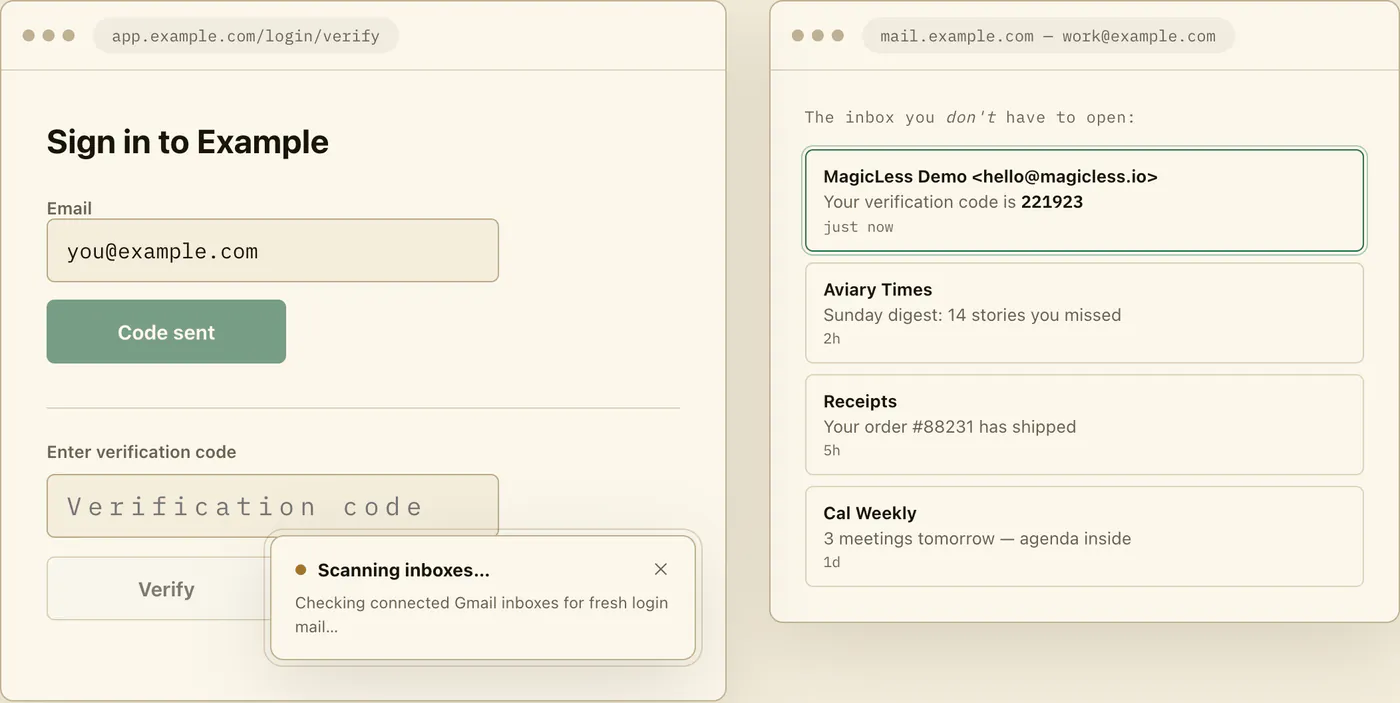
MagicLess is one of the narrowest rows on this table: it does not read iMessage or any SMS, has no menu-bar presence, works only in Chrome, and only reads Gmail, through a server-side integration rather than a local one. If your verification codes arrive by email and you're already sitting in Chrome rather than the menu bar, MagicLess covers exactly that lane; 2FHey, Faktor, MessAuto, and Raycast's 2FA Code Finder cover the text-message lane it does not. If most of your codes are texted rather than emailed, or you read mail in Apple Mail rather than a browser tab, one of the six Mac-native tools above is the better fit, not MagicLess.
This page covers Mac-native and menu-bar tools specifically; Safari's own built-in autofill for emailed codes, and why Chrome doesn't have the same feature, is a separate comparison at Safari autofills email codes, Chrome does not: what to use instead. For the wider set of Chrome extensions that read Gmail specifically, see Gmail OTP autofill extensions compared.
FAQ
Does Raycast's 2FA Code Finder read email codes, or only iMessage?
Both. Its listing says it works with iMessage and email (Apple Mail or Gmail), you pick the enabled sources, and it can open verification or sign-in links found in email directly.
Does 2FHey support email at all?
No. 2FHey's own site describes iMessage and Google Messages (SMS) support only; email is not mentioned as a source.
Does Faktor have Gmail support?
Not as of this check. Faktor's site describes iMessage-only code detection with autofill through its Chrome extension; a Hacker News discussion about the project has commenters asking for Gmail support, which indicates it was a requested feature rather than a shipped one.
Is MessAuto a good alternative if I want both SMS and email covered on a Mac?
It is one of two tools here that cover both, next to Raycast's 2FA Code Finder. MessAuto is a free, open-source app that reads iMessage and Mail.app, and it needs Full Disk Access and Accessibility permissions on macOS.
Do any of these work on Windows?
Two do. MagicLess runs in desktop Chrome on any operating system, and Raycast lists OTP Inbox for macOS and Windows. The rest need macOS, and Faktor's Chrome extension needs its Mac app.
Claim ledger
| Claim | Source | Last checked | Confidence |
|---|---|---|---|
| Raycast's "2FA Code Finder" works with iMessage and email (Apple Mail or Gmail), lets you choose enabled sources, and can open sign-in links from email directly; it had 38,426 installs. | Raycast — 2FA Code Finder | 2026-09-16 | High |
| Raycast's "OTP Inbox" is Gmail-only, requires the user's own Google Client ID, delivers a code by clipboard copy or paste into the active app, and is listed for macOS and Windows; it had 1,049 installs. | Raycast — OTP Inbox and GitHub — otp-inbox | 2026-09-16 | High |
| MessAuto reads iMessage and Mail.app, supports auto-paste with an option that does not use the clipboard, needs Full Disk Access and Accessibility permissions, is MIT-licensed, and has about 1.6k GitHub stars. | MessAuto — GitHub | 2026-09-16 | High |
| 2FHey is a native macOS app that reads iMessage and Google Messages, not email, copies codes to the clipboard, and says everything happens locally; it is open source. | 2FHey | 2026-09-16 | High |
| Faktor listens for iMessage codes on a Mac (macOS 13+), sends them to its extension for Chrome, Arc, or Brave to autocomplete, and is free and fully open source. | Faktor | 2026-09-16 | High |